MENU BAR
View Menu

The View menu contains commands for showing/hiding and arranging FL Studio windows.
Windows
- Playlist (F5) - Shows/hide the Playlist window.
- Piano roll (F7) - Shows/hide the Piano roll window.
- Channel rack (F6) - Shows/hide the Channel Rack & Step Sequencer window.
- Mixer (F9) - Shows/hide the Mixer window.
- Browser (Alt+F8) - Shows/hide the Browser window.
- Project picker (Ctrl+F8) - Displays an array of Clips & Channels used in a project and the relationship between them, notice the yellow ticks, when the Mouse Cursor is placed over an item. The main purpose of the Project Picker is to select items by clicking on them for use in the Playlist.
- Plugin picker (F8) - Displays an array of plugins (effects left, instruments right). To use the Plugin picker, click, hold and drag the icon associated with the plugin you want to use and the picker list will close. Drop the plugin on the target location inside FL Studio. See the Browser section of the manual for details on customizing the Plugin picker.
- Tempo tapper - Open Tap tempo control.
- Touch controller (Alt+F7) - View the currently selected Touch controller.
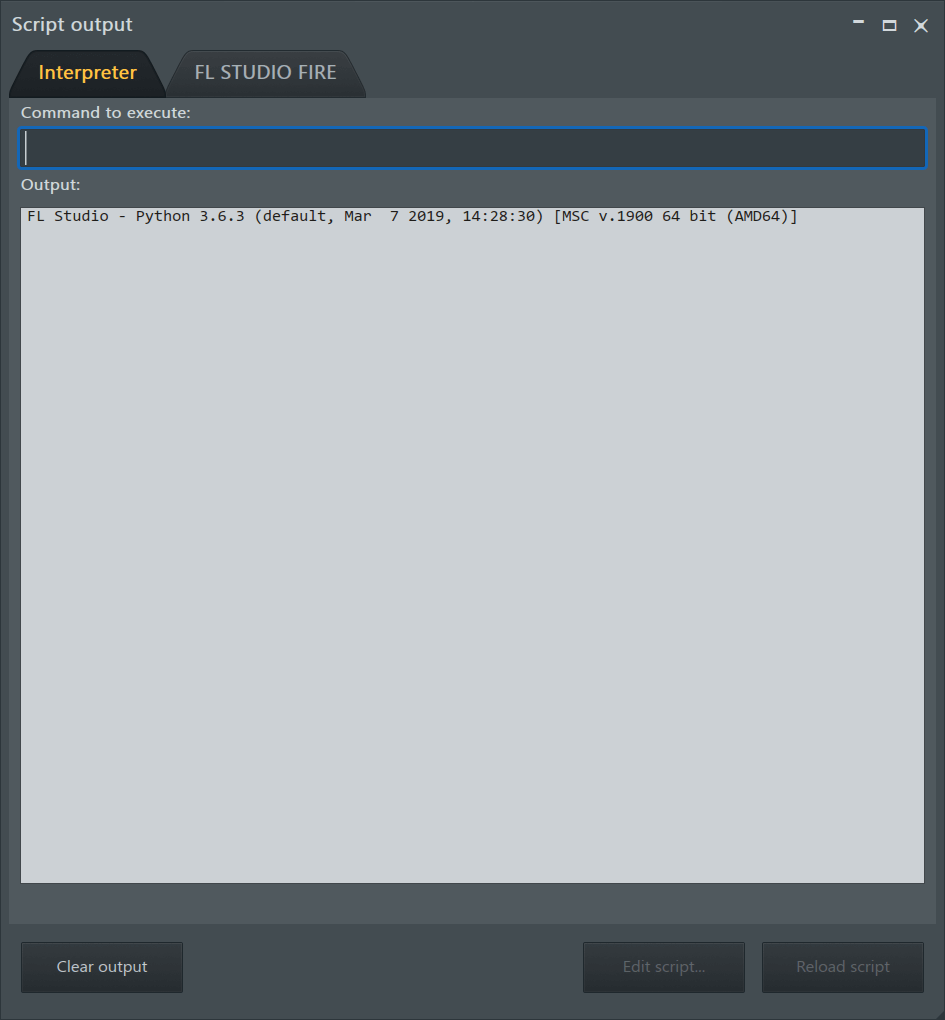
- Script output - The Interpreter tab is used to test Python MIDI Scripting commands. The second tab - In the case where a MIDI Script is selected in the MIDI Settings a second tab will show with the name of the device (in this case FL STUDIO FIRE). Open and edit scripts with the Edit script and execute them with the Reload script buttons.
- Toolbars - Options include:
- Edit - Opens the Toolbar 'presets menu'. Load, save and edit Toolbar presets.
- Separators - Add/remove the lines between the panels.
- Hint bar - Opens the Extended Hint panel.
- Flat buttons - Add/remove the three-dimensional shading around the buttons.
- Hide (Ctrl+F11) - Hide the Toolbar to gain more vertical space.
- Tests - Opens a 'Tests' window that allows you to run tests as requested by Techsupport. Used for troubleshooting systems. Test logs are saved to ..\[user]\Documents\Image-Line\Data\FL Studio\Logs\Test mode
- Plugin performance monitor - Use this tool to find the plugins in your project using the most CPU, as you determine the cause of underruns. The values shown are processing time in microseconds or µs (1/1,000,000 of a second). When the value exceeds 100,000 µs (0.1 seconds), then it will show in seconds.
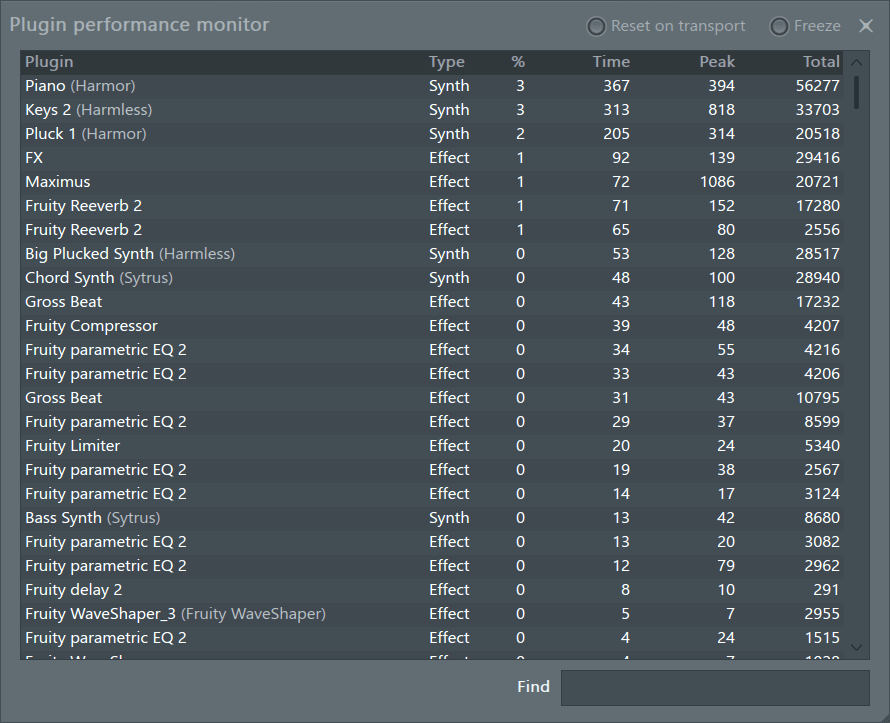
NOTE: You can open this window by double-clicking the CPU Panel.
- Reset on transport - Reset stored (peak) values on play/stop commands.
- Freeze - Pauses the analysis so you can frown at the data.
- Columns:
- Plugin - Plugin and patch name (if available).
- Type - Instrument (Synth) vs Effect (FX).
- % - Audio buffer percentage required to process the plugin. See CPU Panel for a detailed explanation of this value.
- Time - The most recently recorded processing time measurement for the plugin (not all plugins are active all the time). The value is processor time per-second.
- Peak - The highest processing time measured.
- Total - Sum of all time measurements for this plugin. This allows you to compare processing across whole projects.
- Find - Filter for specific plugins by typing all or part of the name.
NOTES: - All measurements will reset if you close the Plugin Performance Monitor and open it again. You can click on the column headers to change sort order. Double click a plugin name in the list to open the plugins editor so you can check Wrapper Settings for example.
Layout
- Close all windows (F12) - Closes all windows in FL Studio.
- Close all plugin windows (Alt+F12) - Closes only, and all, plugin windows.
- Close all unfocused windows (Ctrl + F12) - Closes all unselected (unfocused) windows .
- Align all channel editors (Shift + F12) - Arranges all Channel plugin windows to align to the top-left corner of the focussed plugin. NOTE: This will not work with 'Detached' plugins.
- Arrange windows
- Realign (Shift+Ctrl+H) - Restores the default-install layout.
- Into workspace - Moves all windows into the visible FL Studio desktop workspace. Useful if windows have been moved outside the workspace. For example, when a second monitor was used and is now no-longer available).
- Desktop (default) - Restores the default layout.
- Alternate - Simply an alternate layout. Try it, you may like it :)
- Tablet (default) - Touch friendly layout with important toolbar items arranged along the bottom of the window.
- Tablet (alternate) - Alternative version of the Tablet layout.
- Custom - Restores the custom layout. Use the Save current arrangement option below to create one.
- Save custom layout - Saves the current layout. Useful before changing screen resolution (i.e changing display size or rotating a tablet PC view).
- Background - Allows you to choose wallpaper for FL Studio main window.
- Set image wallpaper - Allows you to use an image for the main window background.
- Set dynamic wallpaper / HTML document - Lets you choose a dynamic wallpaper or HTML document for the main window background. Dynamic wallpapers are in the format .txt can be edited using a standard text editor. They display FL Studio version information, blur when FL Studio is not focussed and adjust to suit the scaling settings.
- Set background color - Change the color of the desktop background.
Browser
- Undo history - Expands the history section in the Project Browser.
- Patterns - Expands the Pattern section in the Project Browser.
- Generators in use - Expands the instruments section in the Project Browser.
- Effects in use - Expands the effects section in the Project Browser.
- Remote control - Expands the remote control section in the Project Browser.
- Plugin database - Opens the Plugin Database (Shift+F8).