MIXING & EFFECTS
Fruity Parametric EQ
|
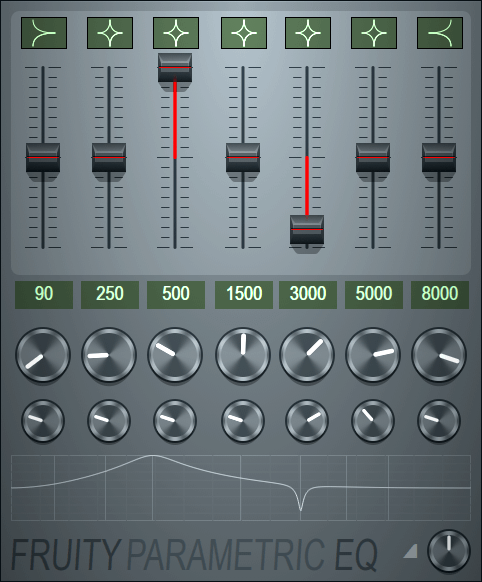
Fruity Parametric EQ is a CPU friendly 7 band parametric equalizer plugin. Equalizing is the process of increasing or decreasing the loudness of specific frequencies. You can adjust the frequency and width of each band in the EQ. Also, each band can act as high shelf, low shelf, peaking, band pass, notch, high pass or low pass filter. The plugin also contains global gain knob to adjust the overall volume. When to use: We recommend using Fruity Parametric EQ 2 as it is the sucessor to this (legacy) plugin. A more general alternative to either of these Parametric EQ's is EQUO. |
Parameters
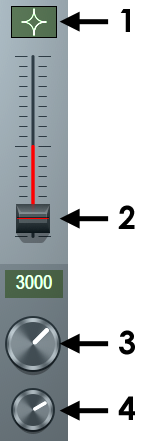 |
|
Notes
Graph area - Left-clicking in the graph area and moving the mouse up and down changes level, left and right movement changes center frequency. For Right-clicking, moving up and down changes level and left and right band-width.
Disabled bands - When the filter type is set to 'off' and peaking/shelf bands that are not amplified do not use CPU resources.
The plugin window - is resizable, allowing you to hide the bottom part of the panel.
Need more bands? - You can stack more than one instance of this plugin in a Mixer track to gain more EQ channels, 2 instances would provide 14 bands of Parametric EQ!
Plugin Credits: Didier Dambrin